NewWarhammer Tone Pro is in the database
All 30 colours in all five tones. Find the Tone Pro match for paints you already own, or see what's close to each one.
Find the right miniature paint
Search a database of miniature paints with hex colour values, compare colours across brands, plan and share whole paint schemes.
Plan your whole colour scheme
The paint scheme visualiser lets you group paints by element — armour, robes, lenses, etc — and preview every colour together as vertical bars. Add paints from the database or your own custom values.
Ultramarines
Open in the designer →Turn a finished model into a shareable image
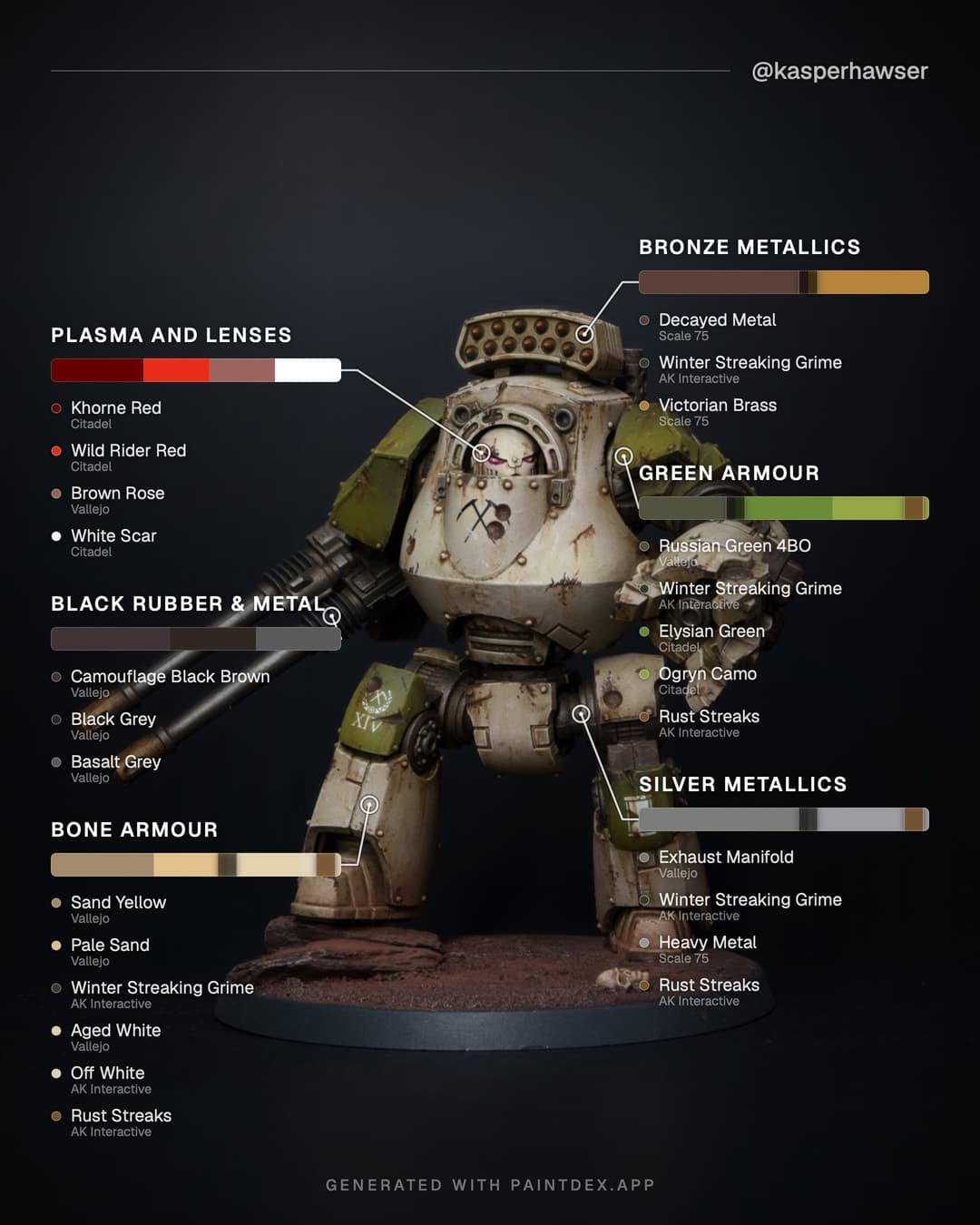
Drop in a photo of your model and the visualiser lays your scheme over it as an image built for social media — square, feed or story shaped. With one callout per element, each showing its colour ramp and the paints that made it.
Sign in with a Google account to save schemes and share them as links, too.
Build a scheme, then hit Create shareable image in the visualiser.
Keep track of the paints you own
Every paint has a ✓ and a ☆ on the browse grid, on its own page, beside each alternative when you're comparing colours, and on every layer of a scheme in the visualiser. One marks a paint as yours, the other puts it on your wishlist.
My paints shows both lists, filtered by brand, type or colour family the same way the main database is, and lets you move paints between them as you buy them. You can export and import your collection as a JSON file whenever you like.
Needs a Google account, so your collection follows you between your phone and your desk.
Searchable & filterable
Filter by brand, product range, finish type and colour family. See paints with similar hues.
Perceptual colour matching
Similar colours are ranked with CIEDE2000 — the same maths professionals use to compare colours.
Open source
The paint database is plain, community-editable JSON. Spot a wrong hex or a missing paint? Open a pull request on GitHub.